eSignature Packages
Blocking and Unblocking eSignature Packages
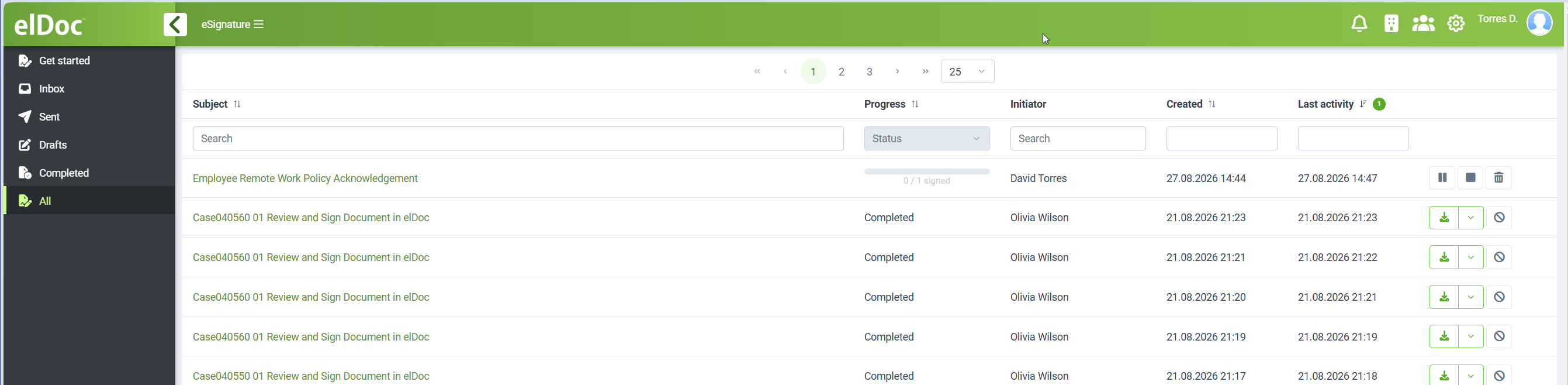
Users with the required eSignature administrative permissions can block and unblock eSignature packages from the All packages view.
Blocking can be used when an administrator needs to temporarily prevent further processing or access to a package without deleting it.
When a package is blocked:
- the package remains stored in elDoc;
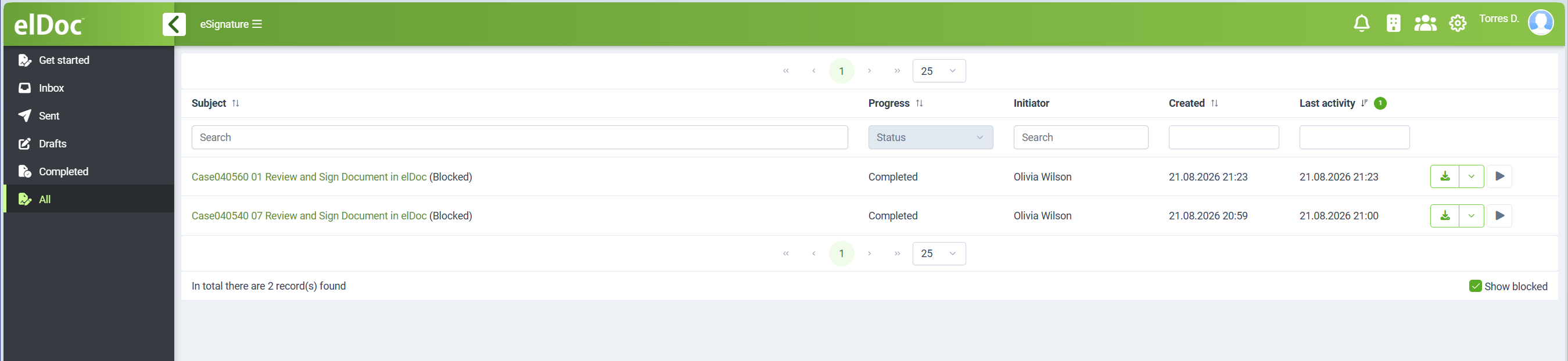
- it is marked as Blocked;
- it is excluded from the normal package view;
- it becomes visible when Show blocked is enabled.
To view blocked packages, enable Show blocked at the bottom of the package list.
Blocked packages are clearly marked in the list so they can be distinguished from active and completed packages.
An administrator can subsequently unblock the package using the corresponding action. After the package is unblocked, it returns to its normal state and becomes available again according to its current eSignature status and recipient permissions.
Blocking and unblocking are administrative operations and are available only to users with the corresponding administrative access rights.
Last modified: August 27, 2026