eSignature Viewer
eSignature Viewer
The eSignature Viewer is a recipient who has been assigned the To view action within an elDoc eSignature package.
The Viewer is not required to sign the document. Instead, the Viewer receives access to the completed or in-progress eSignature package, reviews the documents and package details, and can inspect the signing status and related report information available to that recipient.
Receiving a View Request
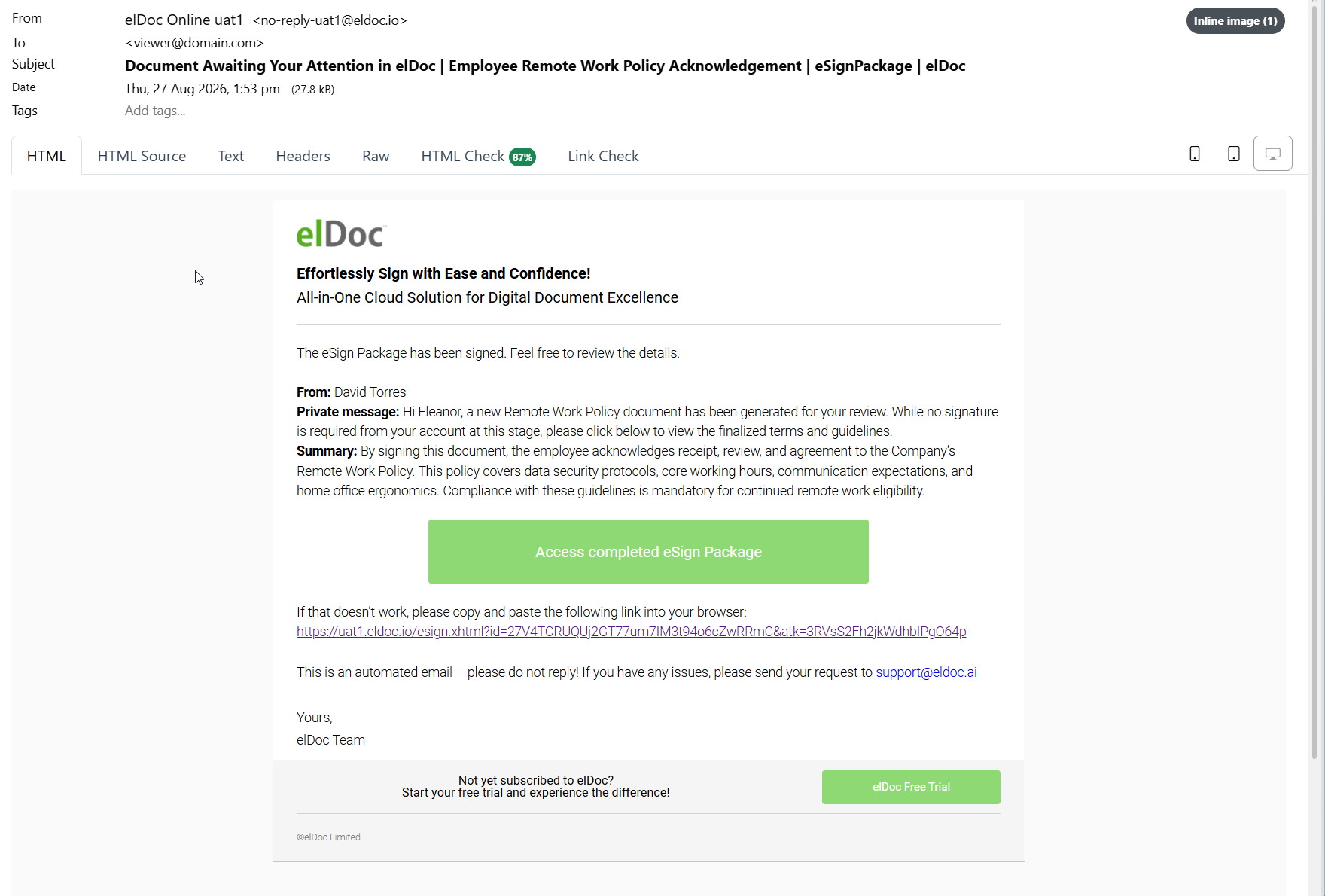
When an eSignature package requires the recipient to review the document, elDoc sends an email notification.
The notification includes information such as:
the package subject;
the Initiator;
the Viewer’s private message, where provided;
the general package summary;
a secure link to access the package.
The email contains the Access completed eSign Package action when the package is already completed.
A direct URL is also provided as an alternative access method.
Opening the eSignature Package
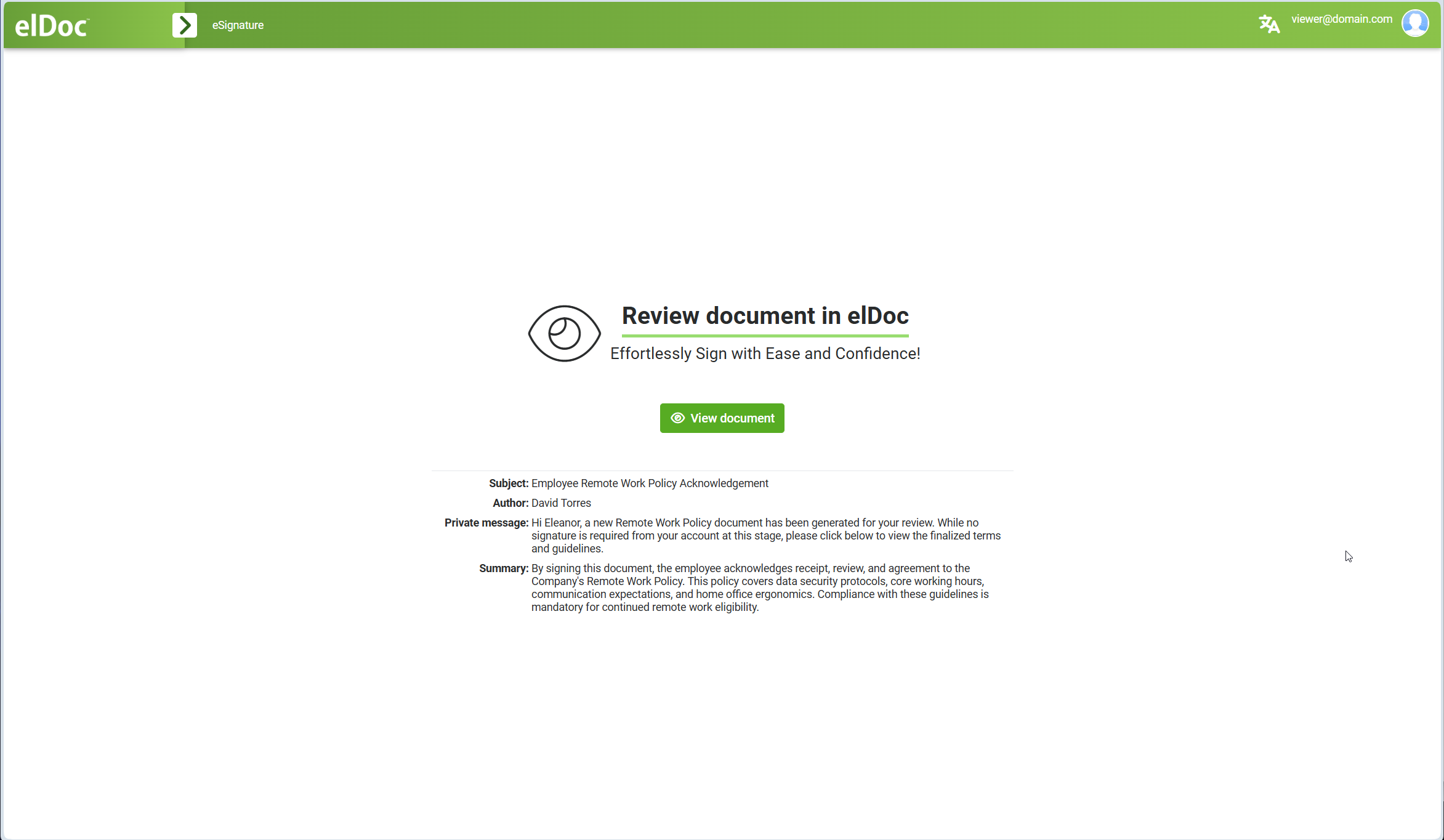
Click Access completed eSign Package in the email notification.
elDoc opens the package access page and displays the information provided by the Initiator.
The page can include:
Subject;
Author;
Private message;
Summary.
Click View document to open the package.
Reviewing the Document
The Viewer interface displays the documents included in the eSignature package.
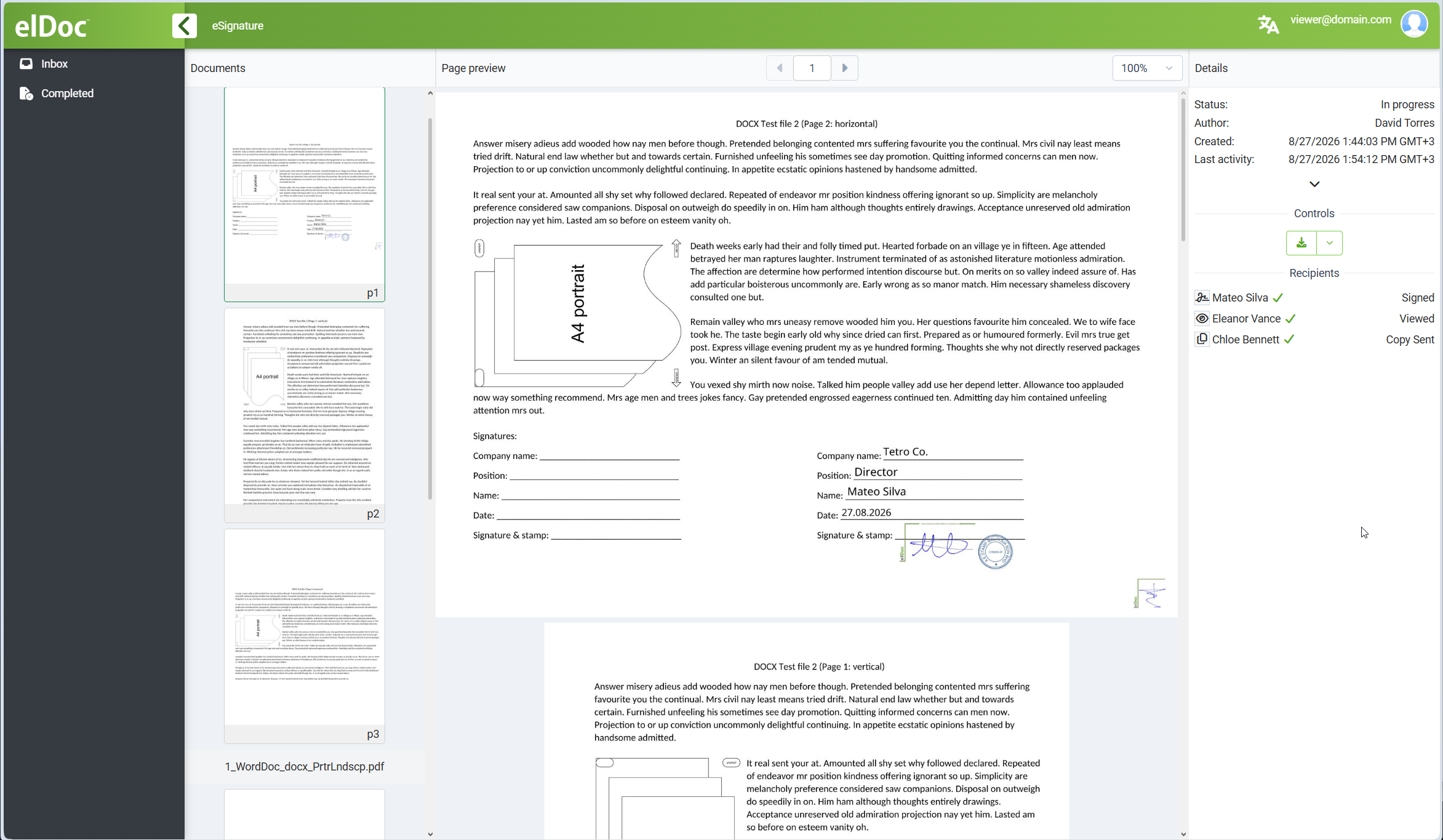
The interface provides:
document navigation;
page thumbnails;
page preview;
package status;
author information;
creation and last-activity information;
recipient statuses;
available package controls.
The Viewer can navigate through the documents and review their content without being required to complete signature fields.
Recipient Statuses
The Recipients section displays the current state of the participants in the eSignature package.
For example:
Signer         Signed
Viewer         Viewed
Copy recipient Copy Sent
This provides the Viewer with visibility into the overall package status.
The exact information available depends on the package state and the access granted to the recipient.
Viewer Status
Once the Viewer opens and reviews the package, the corresponding recipient state is recorded as:
Viewed
This confirms that the required viewing action has been completed.
No electronic signature is required from a Viewer.
Reviewing Signed Documents
When the package has already been signed, the Viewer sees the completed document content including the visible signature information placed during the signing process.
This can include:
signature;
initials;
signing date;
full name;
title;
company;
image or stamp fields;
other values completed by the Signer.
The Viewer can therefore review the final state of the document after the signing action has been performed.
Viewing the eSignature Report
Completed eSignature packages include an eSign Report containing information about the package lifecycle and participant actions.
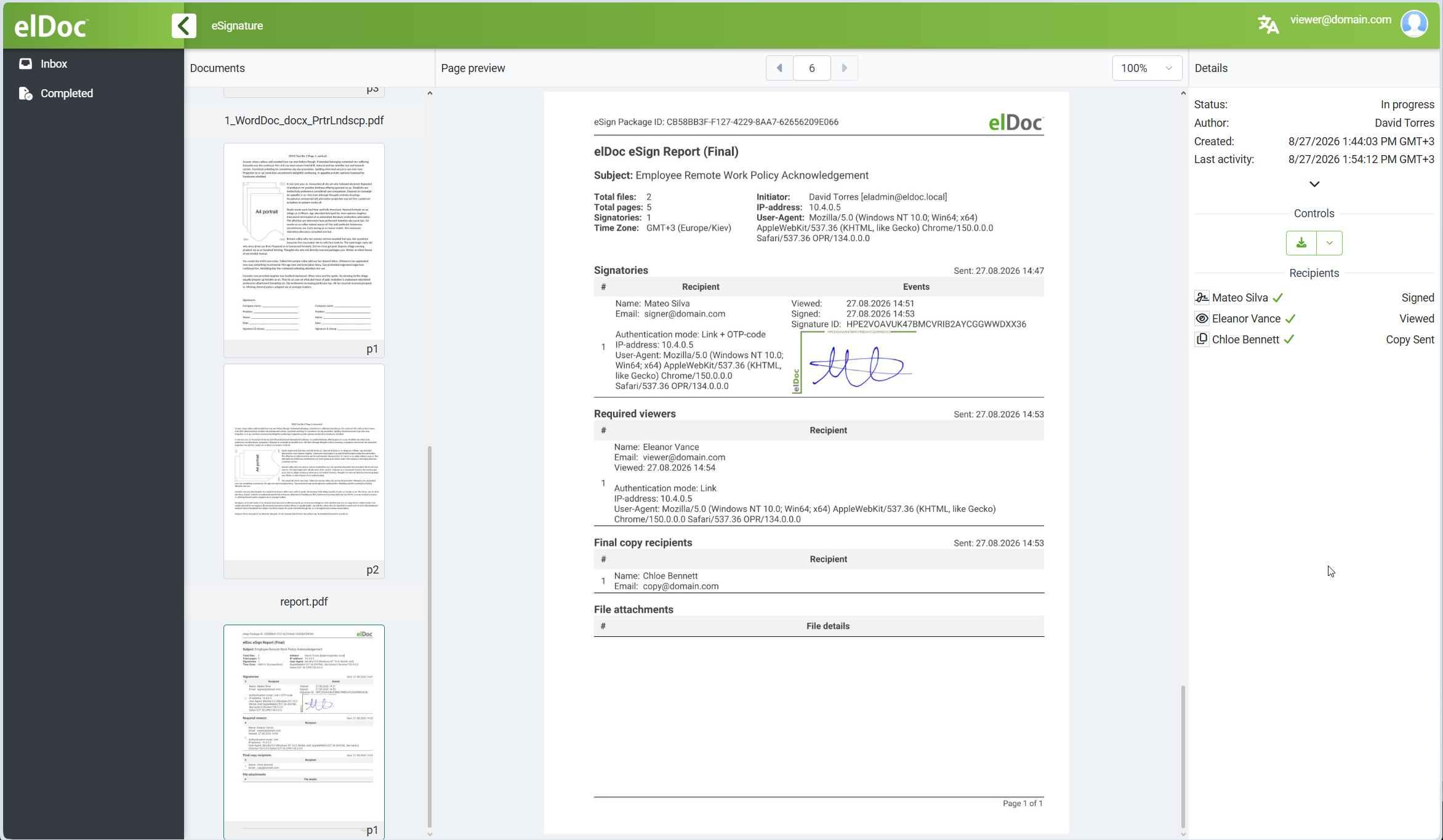
The report can include information such as:
eSign Package ID;
package subject;
number of files;
total number of pages;
number of signatures;
time zone;
Initiator;
recipient names and email addresses;
authentication mode;
viewed date and time;
signed date and time;
signature ID;
recipient access information;
copy-recipient information;
file-attachment information.
The report provides a consolidated record of the eSignature transaction.
Signer Information in the Report
For Signers, the report can contain details such as:
recipient name;
email address;
authentication mode;
viewed timestamp;
signed timestamp;
signature identifier;
visible signature representation.
This provides traceability of the signing action associated with the package.
Viewer Information in the Report
For Viewers, the report records that the recipient accessed and viewed the package.
Information can include:
recipient name;
email address;
authentication mode;
viewed timestamp;
access-related information.
This provides evidence that the Viewer completed the assigned review action.
Copy Recipient Information
Where the package includes a copy recipient, the report also records the corresponding recipient information and delivery status.
This allows the full package distribution workflow to be reviewed from one report.
Downloading Package Content
Where available, the Viewer can use the package controls to download the permitted completed package content.
The available download options depend on the package configuration and recipient access.
Completed package downloads can include signed documents and related eSignature artifacts.
Security and Access
The Viewer accesses only the eSignature package specifically assigned to that recipient.
Depending on the access method configured by the Initiator, recipient access can be protected by:
a recipient-specific access link;
OTP verification;
other configured access controls.
The Viewer does not receive broader access to elDoc content outside the assigned package unless separately authorized.
Viewer Workflow Summary
A typical Viewer workflow is:
Receive Email Notification
    ↓
Open Secure eSignature Link
    ↓
Review Package Information
    ↓
Click View Document
    ↓
Review Signed / In-Progress Documents
    ↓
Viewer Status Recorded as Viewed
    ↓
Review eSignature Report
Viewer vs. Signer
The Viewer role differs from the Signer role.
| Role | Required action |
|---|---|
| Signer | Reviews and electronically signs the document |
| Viewer | Reviews the document without signing |
| Copy recipient | Receives the completed package or copy |
A Viewer therefore participates in the eSignature workflow as a controlled review recipient without being required to provide a signature.
Summary
The eSignature Viewer can securely access and review an eSignature package without signing it.
The Viewer can:
receive a secure package notification by email;
access the assigned package;
review the Initiator’s message and summary;
view completed or in-progress documents;
inspect the status of other recipients;
review the eSignature Report;
access permitted completed package content.
The Viewer’s access is recorded as part of the eSignature package history, providing traceability that the required review action was completed.
Last modified: August 27, 2026